

 Loading...



































































































































Play Draw Parking online for free, where your creativity meets your driving skills in the most colorful way possible! Can you guide every car to its spot without causing a traffic jam? This addictive puzzle game is super easy to pick up but gets tricky enough to keep you guessing.
As you progress through the levels, you will earn coins and unlock cool new vehicles. Whether you're playing on a phone, tablet, or computer, Draw Parking is packed with exciting challenges, obstacles, and satisfying animations that make every successful park feel like a victory.
Are you ready to test your logic and become the ultimate parking master?
About Draw Parking
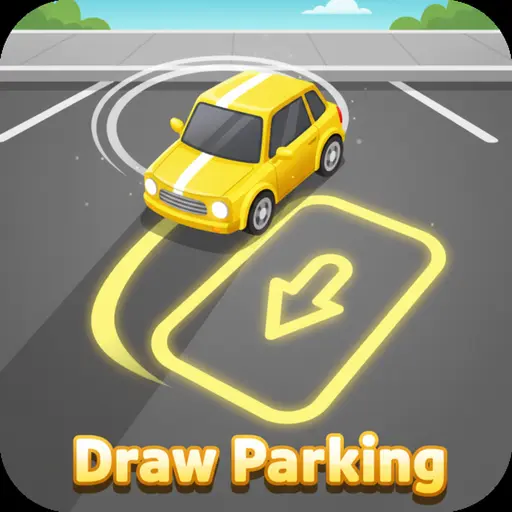
Draw Parking is a fun and colorful puzzle game where you must draw lines to guide cars to their matching parking spots. It was first released in 2020 and quickly became a hit due to its simple yet addictive mechanics.
The game was popularized by mobile developers like Fomo Games, who specialize in hyper-casual games that are easy to learn but hard to master. Whether you're playing on a desktop, tablet, or mobile phone, Draw Parking is designed to test your spatial awareness and timing skills.
Thanks to its vibrant colors and satisfying gameplay loop, Draw Parking continues to be a favorite choice for kids and players of all ages who love logic puzzles and car games!
Draw Parking Gameplay
Draw Parking starts off easy, but don't get too comfortable! You begin with a single car and a clear path, but soon you will face multiple cars, moving obstacles, and tight spaces. Your main goal is to draw a line from each car to the parking zone of the same color without crashing into walls or other vehicles. Key skills needed for success include planning, timing, and a steady hand.
As you beat levels, the difficulty increases significantly. You will encounter faster obstacles and more complex layouts. One unique feature is the coin collection system; you can veer off the direct path to grab coins, which adds an extra layer of challenge. Unlike standard parking games where you steer a wheel, here you are the architect of the path.
The mechanics are simple: just touch and drag. However, the order in which you draw and the timing of your release matter. You can collect coins to unlock new car skins and cool trails. Improving your drawing precision directly affects your ability to clear tight corners without crashing.
In advanced levels, you will face different environments and moving barriers that require perfect timing. Success depends entirely on your ability to predict where the cars will be at any given second.
Platform
You can play this game directly in your web browser, whether you're using a desktop, laptop, tablet, or mobile device.
How to Play Draw Parking?
In Draw Parking, your main goal is to park every car in the level safely. You must match the red car to the red spot, the blue car to the blue spot, and so on. The main challenge is that if the lines cross at the wrong time, the cars will crash, and you will have to restart. You must visualize the path before you draw it.
The difficulty ramps up as obstacles like barriers and other moving trucks appear. If you crash, you fail the level instantly, but you can restart immediately with no penalty. Collecting all the coins is optional but highly rewarding if you want to show off your skills.
The game ends when you successfully park all vehicles in the level. High scores are based on how many levels you can complete and how many coins you gather, keeping you motivated to unlock the next cool car skin.
Controls
Draw Parking uses very intuitive controls that work perfectly on any device. Here's how you control the vehicles:
- On Computer:
- Use your Mouse to click on a car.
- Hold the click and Drag the cursor to the matching parking spot.
- Release to set the path.
- On Mobile:
- Tap the car with your finger.
- Slide your finger across the screen to draw the line.
- Lift your finger to finish the path.
The controls are incredibly simple, making it easy for anyone to learn in seconds, but executing the perfect park requires skill!
Tips and Tricks for Draw Parking
Want to clear every level without a scratch in Draw Parking? These simple and helpful tips will improve your logic skills and help you unlock cool rewards:
- Watch the Colors: Always double-check that you are connecting the car to the correct colored parking spot.
- Avoid Straight Lines: sometimes a curve is better to avoid obstacles or other cars.
- Mind the Timing: You don't have to draw all lines at once; watch the traffic patterns first.
- Collect Coins: Go out of your way to grab coins, as they help you unlock new car models.
- Predict Crashes: If paths cross, imagine the speed of the cars to ensure they won't meet at the intersection.
- Use Wall Space: You can draw lines close to the walls to leave room for other cars in the center.
- Restart Quickly: If you make a bad drawing, just restart the level immediately to save time.
- One by One: In complex levels, focus on the hardest car path first, then fit the easier ones around it.
Follow these tips and you'll be parking like a pro in no time!
Features of Draw Parking
Draw Parking is a brain-teasing puzzle game designed for players of all ages. Below are the top features that make this game so enjoyable and addictive:
- Intuitive Drawing Mechanic: Simply draw a line with your finger or mouse to drive the car.
- Colorful Graphics: Bright, vibrant visuals that are appealing and kid-friendly.
- Challenging Levels: Hundreds of unique stages that get harder as you play.
- Unlockable Cars: Use coins to buy sports cars, trucks, and other fun vehicles.
- Logic Puzzles: Helps develop problem-solving skills and spatial awareness.
- Obstacle Avoidance: Dodging moving barriers adds an action element to the puzzle.
- No Time Limit: Think as long as you need before drawing your path.
- Satisfying Effects: Enjoy smooth animations when cars park perfectly.
These features make Draw Parking a perfect game for anyone who loves relaxing yet challenging puzzles!
Game Details
| Developer | Fomo Games / HTML5 |
|---|---|
| Release Date | 2020 |
| Genre | Puzzle / Arcade |
| Platform | Browser (Desktop & Mobile) |
| Mode | Single Player |
Draw Parking Online
Draw Parking online is the special version of the popular puzzle game that you can play right here on our website. This version has been carefully designed so that you can enjoy the game directly in your browser—without downloading or installing anything!
You can start playing Draw Parking instantly with just one click. It works smoothly on all major web browsers, including Google Chrome, Mozilla Firefox, Microsoft Edge, Safari, and Opera. Whether you're using a computer, tablet, or mobile phone, the game is fully optimized for your device.
This is a modified edition of the original Draw Parking, made for the best online experience. It keeps all the fun gameplay while running fast and safely on every browser.
Draw Parking for Free
You can enjoy playing Draw Parking for free right here on our website. This is a special modified version of the original game that allows you to play online without paying anything. No download is needed, and there are no hidden fees or in-game purchases.
Everything in the game—from the levels to the unlockable cars—is completely free. Kids and players of all ages can have fun without spending a single coin!
Also, all the games on our site are 100% free to play. We believe in fun gaming without limits or costs. Just choose a game and start playing instantly!
Can You Play Draw Parking Unblocked?
Yes! You can play Draw Parking unblocked anytime on our website Super bear Adventure. Whether you're at school, in class, at work, or on a break, the game runs smoothly without any restrictions.
There's no need to download anything or bypass any blocks. Just visit our site and start drawing your path to victory right away. It's safe, fast, and works perfectly on any device!
- Unblocked Games 76: A popular site that offers a large variety of unblocked games, including Draw Parking’s clean and engaging gameplay.
- Unblocked Games G+: Another great destination for games that are often blocked on school networks. Draw Parking is featured for quick, logic‑based fun.
- Unblocked Games 6x: Offers safe, kid‑friendly titles. Draw Parking fits perfectly with its puzzle and logic focus.
- Unblocked Games 66: Known for its extensive collection of accessible games. Draw Parking is available for unblocked play, letting you test your skills wherever you are.
- Unblocked Games 67: Provides no-download, in‑browser games. Draw Parking appears in the puzzle section.
- Unblocked Games 77: A robust selection of unblocked games, letting you enjoy Draw Parking’s engaging platform for quick challenges.
Draw Parking GitHub
Many players search for Draw Parking GitHub versions to bypass blocks that prevent them from playing the game at school or work. While GitHub might offer some alternatives, it's often complicated and not always reliable.
But with our website Super bear Adventure , you don't need to search for GitHub versions anymore. Our version of Draw Parking runs smoothly on all devices and networks. Whether you're in the classroom, office, or on a break — enjoy the full game online with no restrictions, no downloads, and completely for free!
Draw Parking Download
Many fans of Draw Parking love to download the game to their own devices for a better playing experience than just playing on the browser. Here's how you can do it:
- If your device runs on Android, just go to the Google Play Store and tap the install button to download the game.
- If you use Apple devices like iPhone or iPad, head to the Apple App Store and press the install button to get the game.
APK Draw Parking
If you use an Android device but can't find the game in the Google Play Store, don't worry! You can search for the Draw Parking APK file online and download it directly to your device. This way, you can install the game without using Google Play.
Also, if you love playing on your computer, you can download Draw Parking for free from the Steam store. This lets you enjoy the game with better controls and graphics.
Draw Parking Extension
Many fans of Draw Parking prefer to play the game directly on their browser using a Google Chrome extension. This lets them start playing instantly without having to visit the website every time. Plus, some extensions allow you to play offline whenever you want. To download the Draw Parking extension, click here.
Similar Games to Draw Parking
Find More Games by Category
Frequently Asked Questions (FAQ) About Draw Parking
What is Draw Parking?
Draw Parking is a puzzle game where you need to draw lines to guide colored cars to their matching parking spots without crashing.How do I play Draw Parking?
Use the mouse or touch controls to click (or tap) on a car, drag a line to its matching color spot, and release to make the car drive.Is the game free?
Yes, Draw Parking is free and accessible directly in the browser on our site.On which platforms can I play?
The game is available on Desktop browsers, Android phones, iPhones, and tablets.Do I need an account to play?
No, you can start immediately without an account.Is the game suitable for children?
Yes, Draw Parking is designed for all ages and features age‑friendly graphics and logic puzzles.Are there difficulty levels?
Yes, the game gets harder as you progress through the levels with more cars and obstacles.How do I progress to the next level?
You need to successfully park every car in the current stage to move to the next level.Can I replay a level?
Yes, if you fail or want to get a better score, you can replay the level immediately.Is the game multiplayer?
No, Draw Parking is a solo game where you challenge your own logic skills. There is no multiplayer mode included.Are there any tips for success?
Draw curved lines to avoid collisions and watch the speed of other cars before drawing.How can I improve my skills in the game?
Practice regularly, visualize the path before you draw, and try to collect coins to improve your precision.What do I do if the game is lagging or crashing?
Try clearing your browser cache, updating your browser, or playing on a different device with a stable internet connection.Can I play without an internet connection?
No, this online version requires an internet connection to be played directly in the browser.How do I earn rewards or bonuses?
You can earn coins by driving over them in the levels, which can be used to unlock new cars.What happens when I lose all my lives?
There are no lives in this game; if you crash, you simply restart the specific level you are on.How often does the game get updated?
The game receives updates occasionally. Check the game website for details on new levels or features.Can I customize my character or plane?
You can customize your car! Use the coins you collect to unlock different vehicle skins in the shop.How do I unlock new levels or stages?
New levels unlock automatically after completing the previous level.Is there any way to save my progress?
Yes, your progress is automatically saved through your browser’s local storage so you can come back later.
Why do my cars keep crashing?
Your cars are likely crossing paths at the same time; try drawing a longer, curved line for one car to delay it so they don't meet.
How many levels are in Draw Parking?
The game features dozens of levels, with new challenges and layouts introduced as you go further.
Can I play Draw Parking on a school Chromebook?
Yes, since it is an HTML5 game, it runs perfectly on Chromebooks and is often unblocked on our site.
Do I need a mouse to play?
No, while a mouse works great on computers, you can play easily using the touchscreen on any tablet or smartphone.
What do the coins do?
The coins are in-game currency used to purchase new, fun designs for your cars in the main menu shop.
Is there a time limit on levels?
No, there is no timer, so you can take as much time as you need to plan your route perfectly.
Can I undo a line I drew?
Usually, lifting your finger commits the car to move; if you make a mistake, simply press the restart button to try again.
Are there boss levels?
While there are no traditional "bosses," some levels feature complex moving trucks and barriers that act as major challenges.
Does the game have sound?
Yes, it features fun sound effects for drawing, engines, and parking success, which you can toggle on or off.
Is Draw Parking educational?
Yes, it helps develop logic, forward planning, and spatial reasoning skills in a fun way.
Why is the game screen black?
This may happen if you have an ad blocker preventing the game from loading; try disabling it or refreshing the page.
Can I skip a hard level?
Generally, you must complete a level to move on, but some versions may offer a "skip" option after many failed attempts.
Is it safe to download the APK?
It is safer to play online in the browser, but if you download an APK, ensure it is from a reputable source to avoid viruses.
How do I get 3 stars?
In versions with a star system, you usually get 3 stars by collecting all coins and not crashing.
What is the hardest level?
Difficulty is subjective, but levels with multiple moving barriers and 4+ cars are usually considered the hardest.
Conclusion
Draw Parking is a fantastic way to sharpen your mind while having a blast. It perfectly blends the fun of drawing with the logic of a puzzle game, making it great for developing problem-solving skills without feeling like homework. Its simple controls mean anyone can jump in and play, but the clever levels will keep you coming back for more.
Since it works on any device and is completely free to play, you can enjoy a quick game on the bus, at home, or during a break. There are no costs or hidden fees—just pure, unblocked fun available immediately right in your browser.
So, what are you waiting for? Grab your virtual marker and start parking! Challenge your friends to see who can solve the hardest levels and become the ultimate Draw Parking champion!