Bowling Challenge
Game information
- Published
- Last updated
- Technology
- Iframe
- Categories
- Arcade Games Sports Games
Related games



Game info
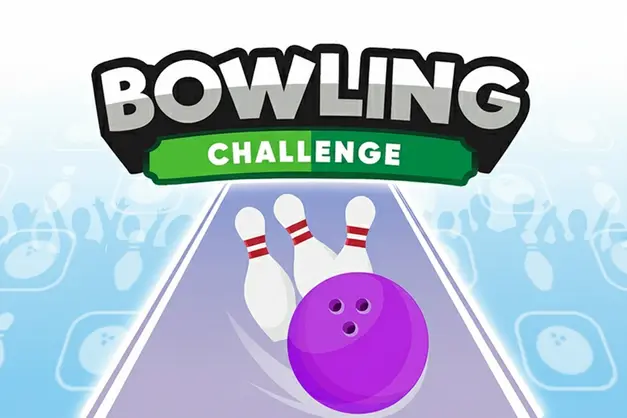
Play Bowling Challenge online for free, where the excitement of the bowling alley comes straight to your screen! Put on your virtual bowling shoes and get ready to strike down pins in this super fun sports simulation. The game is colorful, fast-paced, and incredibly satisfying when you hear that loud crash of pins falling over. Whether you are a total beginner or a bowling pro, this game makes it easy to jump right into the action.
You don't need heavy equipment or rental shoes to enjoy this challenge. Whether you're playing on a phone, tablet, or computer, Bowling Challenge is packed with realistic physics and cool 3D graphics that make every throw feel real. You can earn high scores, master the perfect spin, and try to bowl a perfect game right from your browser.
Are you ready to aim for a strike and become the champion of the lanes?
About Bowling Challenge
Bowling Challenge is a vibrant and addictive 3D sports game that brings the classic ten-pin bowling experience to your device. It was first released in 2018 and quickly became popular for its smooth gameplay and realistic pin physics.
The game was created by Code This Lab, a well-known developer famous for making high-quality HTML5 games that work perfectly on the web. Whether you're playing on a desktop, tablet, or mobile phone, Bowling Challenge is designed to be responsive, meaning it fits any screen size and loads instantly without lag.
Thanks to its simple swipe controls and satisfying sound effects, Bowling Challenge continues to be a favorite choice for kids and players of all ages who love sports games and testing their accuracy!
Bowling Challenge Gameplay
Bowling Challenge is easy to learn but hard to master! You start at the top of the lane with ten pins set up at the far end. Your main goal is to knock down as many pins as possible in ten frames. You need good timing, precise aiming, and the right amount of power to succeed.
As you play, you will notice that simply throwing the ball straight isn't always the best strategy. The game features a realistic physics engine, meaning you can add spin or curve to your shots to hit the "pocket"—the sweet spot between the front pin and the next one. This adds a layer of skill that makes getting a high score extremely rewarding.
The gameplay mechanics rely on a flick or mouse drag system. You get two chances per frame to knock down all ten pins. If you knock them all down on the first try, it's a Strike! If you get the rest on the second try, it's a Spare. These special shots give you bonus points in the following frames, which is essential for getting a massive score.
While the environment stays the same—a classic polished wood lane—the challenge comes from beating your own personal best. The connection between your finger speed (or mouse speed) and the ball's power helps you feel truly in control of every roll.
Platform
You can play this game directly in your web browser, whether you're using a desktop, laptop, tablet, or mobile device.
How to Play Bowling Challenge?
In Bowling Challenge, your main goal is to score as many points as possible by knocking down ten pins arranged in a triangle at the end of the lane. You must carefully position your ball, aim your arrow, and swipe with the right speed to crash into the pins.
The game consists of 10 frames. In each frame, you have two throws. If you fail to knock down any pins, the game moves to the next player or frame, and you lose out on points. To succeed, you must avoid the gutters (the channels on the sides) and try to hit the center pins with force.
The game ends after the 10th frame. The maximum score you can achieve is 300 points, which is called a "Perfect Game." Seeing your score climb higher with every strike provides great motivation to keep playing and improving your technique.
Controls
Bowling Challenge uses intuitive touch and mouse mechanics. Here's how you control the bowling ball:
- On Computer:
- Mouse Move: Move the mouse left or right to position the ball on the lane.
- Left Click & Drag: Click and hold the ball, then drag your mouse forward quickly to throw. The angle of your drag determines the direction and spin.
- On Mobile:
- Touch & Drag: Tap the ball to position it, then swipe your finger forward on the screen to roll the ball.
- Curve: Swipe in a slightly curved line to add spin to the ball.
These simple controls make it super easy to learn, so you can start bowling strikes in seconds!
Tips and Tricks for Bowling Challenge
Want to hit more strikes in Bowling Challenge? These simple and helpful tips will improve your aiming skills and help you unlock high scores:
- Aim for the Pocket: Don't aim directly at the front pin. Aim slightly to the right or left of the head pin (the 1-3 or 1-2 pocket) to cause a chain reaction.
- Control Your Speed: Throwing too fast makes the ball hard to control. A steady, medium-speed throw is often more accurate.
- Watch the Arrows: Use the arrows painted on the lane floor to help line up your shot, rather than looking at the pins far away.
- Use Spin: Drag your mouse or finger in a slight curve to hook the ball. This helps the ball enter at a better angle for strikes.
- Pick Up Spares: If you leave pins standing, move your starting position. If pins are on the left, stand on the right and throw diagonally.
- Avoid the Gutter: Keep your mouse or finger straight during the release. A shaky hand often leads to a gutter ball.
- Practice Timing: Find a rhythm that works for you. Consistency is the key to bowling high scores repeatedly.
- Study the Physics: Pay attention to how the ball bounces off the pins so you can adjust your next throw accordingly.
Follow these tips and you'll be bowling perfect games in no time!
Features of Bowling Challenge
Bowling Challenge is a fantastic sports game designed for players of all ages. Below are the top features that make this game so enjoyable and addictive:
- Realistic 3D Graphics: The game features beautiful 3D visuals that make the lane, ball, and pins look shiny and real.
- Accurate Physics: The ball reacts just like it would in real life, bouncing and spinning based on how you throw it.
- Simple Controls: The intuitive swipe-and-throw mechanic makes it accessible for toddlers, kids, and adults alike.
- Quick Gameplay: Rounds are fast, making it perfect for a quick break or playing while waiting for the bus.
- Score Tracking: The game automatically keeps score just like a real bowling alley computer, tracking every strike and spare.
- No Equipment Needed: Enjoy the fun of bowling without needing to rent shoes or find a heavy ball.
- Cross-Platform Play: Works smoothly on phones, tablets, and computers without any glitches.
- Kid-Friendly: A safe environment with no violence, making it perfect for school-aged children.
These features make Bowling Challenge a perfect game for anyone who loves sports and arcade fun!
Game Details
| Developer | Code This Lab |
|---|---|
| Release Date | 2018 |
| Genre | Sports / Arcade |
| Platform | Web Browser (HTML5) |
| Mode | Single Player |
Bowling Challenge Online
Bowling Challenge online is the special version of the popular sports simulation that you can play right here on our website. This version has been carefully designed so that you can enjoy the game directly in your browser—without downloading or installing anything!
You can start playing Bowling Challenge instantly with just one click. It works smoothly on all major web browsers, including Google Chrome, Mozilla Firefox, Microsoft Edge, Safari, and Opera. Whether you're using a computer, tablet, or mobile phone, the game is fully optimized for your device.
This is a modified edition of the original Bowling Challenge, made for the best online experience. It keeps all the fun gameplay while running fast and safely on every browser.
Bowling Challenge for Free
You can enjoy playing Bowling Challenge for free right here on our website. This is a special modified version of the original game that allows you to play online without paying anything. No download is needed, and there are no hidden fees or in-game purchases.
Everything in the game—from the realistic lanes to the full 10 frames of play—is completely free. Kids and players of all ages can have fun without spending a single coin!
Also, all the games on our site are 100% free to play. We believe in fun gaming without limits or costs. Just choose a game and start playing instantly!
Can You Play Bowling Challenge Unblocked?
Yes! You can play Bowling Challenge unblocked anytime on our website Super bear Adventure. Whether you're at school, in class, at work, or on a break, the game runs smoothly without any restrictions.
There's no need to download anything or bypass any blocks. Just visit our site and start throwing strikes right away. It's safe, fast, and works perfectly on any device!
- Unblocked Games 76: A popular site that offers a large variety of unblocked games, including Bowling Challenge’s clean and engaging gameplay.
- Unblocked Games G+: Another great destination for games that are often blocked on school networks. Bowling Challenge is featured for quick, skill-based fun.
- Unblocked Games 6x: Offers safe, kid‑friendly titles. Bowling Challenge fits perfectly with its sports and logic focus.
- Unblocked Games 66: Known for its extensive collection of accessible games. Bowling Challenge is available for unblocked play, letting you test your skills wherever you are.
- Unblocked Games 67: Provides no-download, in‑browser games. Bowling Challenge appears in the sports section.
- Unblocked Games 77: A robust selection of unblocked games, letting you enjoy Bowling Challenge’s engaging platform for quick challenges.
Bowling Challenge GitHub
Many players search for Bowling Challenge GitHub versions to bypass blocks that prevent them from playing the game at school or work. While GitHub might offer some alternatives, it's often complicated and not always reliable.
But with our website Super bear Adventure , you don't need to search for GitHub versions anymore. Our version of Bowling Challenge runs smoothly on all devices and networks. Whether you're in the classroom, office, or on a break — enjoy the full game online with no restrictions, no downloads, and completely for free!
Bowling Challenge Download
Many fans of Bowling Challenge love to download the game to their own devices for a better playing experience than just playing on the browser. Here's how you can do it:
- If your device runs on Android, just go to the Google Play Store and tap the install button to download the game.
- If you use Apple devices like iPhone or iPad, head to the Apple App Store and press the install button to get the game.
APK Bowling Challenge
If you use an Android device but can't find the game in the Google Play Store, don't worry! You can search for the Bowling Challenge APK file online and download it directly to your device. This way, you can install the game without using Google Play.
Also, if you love playing on your computer, you can download Bowling Challenge for free from the Steam store. This lets you enjoy the game with better controls and graphics.
Bowling Challenge Extension
Many fans of Bowling Challenge prefer to play the game directly on their browser using a Google Chrome extension. This lets them start playing instantly without having to visit the website every time. Plus, some extensions allow you to play offline whenever you want. To download the Bowling Challenge extension, click here.
Similar Games to Bowling Challenge
Find More Games by Category
Frequently Asked Questions (FAQ) About Bowling Challenge
What is Bowling Challenge?
Bowling Challenge is a 3D sports game where you aim to knock down ten pins using a bowling ball to score points.How do I play Bowling Challenge?
Use your mouse or touch screen to position the ball, then swipe or flick forward to roll the ball down the lane.Is the game free?
Yes, Bowling Challenge is completely free to play directly in your web browser.On which platforms can I play?
The game is available on PC, Mac, Android phones, iPhones, and tablets.Do I need an account to play?
No, you can start bowling immediately without creating an account or logging in.Is the game suitable for children?
Yes, Bowling Challenge is a family-friendly sports game suitable for kids of all ages.Are there difficulty levels?
The game difficulty is standard, but hitting strikes becomes harder as you try to beat your own high scores.How do I get a Strike?
You get a Strike by knocking down all 10 pins with your very first throw of the frame.Can I play with friends?
This version is primarily a single-player game where you compete against your own best score.What is a Spare?
A Spare happens when you knock down the remaining pins on your second throw of a frame.Are there any tips for success?
Try to flick your finger or mouse straight and fast for power, or add a slight curve to hit the pins at an angle.How can I improve my skills in the game?
Practice your swipe speed and try different starting positions on the lane to find the best angle for a strike.What do I do if the game is lagging?
If the game lags, try closing other browser tabs or refreshing the page to free up memory.Can I play without an internet connection?
No, this version requires an active internet connection to load and play in the browser.How many frames are in a game?
Just like real bowling, there are 10 frames in a single game.What is the maximum score?
The maximum possible score in Bowling Challenge is 300, which is achieved by rolling 12 strikes in a row.Does the game track my high score?
Yes, the game will usually display your final score at the end of the match so you can try to beat it next time.Can I change the ball color?
Some versions of the game assign a random ball color or allow basic selection, but deep customization is limited.Is there sound in the game?
Yes, the game features realistic sound effects of the ball rolling and the pins crashing.Is there a time limit?
There is no strict timer for your throws, so you can take your time to aim carefully.
Why does my ball go into the gutter?
This usually happens if you swipe diagonally or release the mouse at a sharp angle. Try to keep your movement straight forward.
Can I play Bowling Challenge on a Chromebook?
Yes, the game is optimized for HTML5, making it run perfectly on school Chromebooks without any installation.
How do I add spin to the ball?
To add spin, drag your mouse or swipe your finger in a curved motion (like a banana shape) instead of a straight line.
What happens if I get three strikes in a row?
Three strikes in a row is called a "Turkey," and it gives you a massive points boost!
Can I restart the game in the middle?
Yes, usually there is a pause menu or a refresh button that lets you start a fresh game if you aren't happy with your score.
Is Bowling Challenge safe for school?
Absolutely, it is a non-violent sports game that is safe and often unblocked on school networks.
Do I need a fast computer?
No, the game is lightweight and runs well on older computers and average internet connections.
Why are the shoes funny looking in bowling?
While you don't wear them in this game, real bowling shoes are slippery to help players slide during their throw!
Is this game 3D or 2D?
Bowling Challenge uses 3D graphics to create depth, making the lane look long and realistic.
Does the game save my progress?
Since it is an arcade-style game, scores usually reset when you close the browser, so try to get your best score in one session.
What is a "Gutter Ball"?
A Gutter Ball is when the ball rolls into the side channels and doesn't hit any pins, resulting in zero points for that throw.
Can I play with a controller?
This game is designed for mouse and touch controls, so gamepads or controllers are generally not supported.
How do I calculate the score?
The game calculates it automatically: Strikes give 10 points plus your next two rolls, and Spares give 10 points plus your next single roll.
Is the game good for brain training?
Yes, it helps improve hand-eye coordination, timing, and strategic thinking regarding angles and geometry.
Where can I play more sports games?
You can find many more sports games by browsing the categories on our Super Bear Adventure website.
Conclusion
Bowling Challenge is a fantastic way to enjoy the thrill of the bowling alley without leaving your chair. It combines simple controls with challenging physics to create a game that is fun for minutes or hours. It helps develop hand-eye coordination and teaches the basic rules of bowling in an engaging way.
Whether you are playing on a smartphone during a car ride or on a computer at home, this game is 100% free and easy to access. It is perfect for kids aged 7 to 18 who want a safe, competitive, and entertaining sports game.
So, what are you waiting for? Grab your virtual ball, step up to the line, and see if you can bowl a perfect 300 game. Share your high score with your friends and become the ultimate bowling champion today!
🎮 More Free Arcade Games
Browse all Arcade Games (53) →Looking for more games like Bowling Challenge? Explore top-rated unblocked games in our Arcade Games collection: