

 Loading...








































































































































Play Cubeform online for free, a thrilling 3D platformer that tests your reflexes and precision in a vibrant, geometric world! In this fast-paced arcade game, you take control of a sliding cube and must navigate through tricky obstacle courses suspended in mid-air. Can you master the physics and reach the finish line without falling into the void? With simple controls that anyone can learn but levels that are tough to master, this game is perfect for playing on your phone, tablet, or computer.
Whether you're looking to kill time during a break or want to challenge your friends to see who has better coordination, Cubeform is packed with exciting levels and increasing challenges. You will need to dodge spikes, jump over gaps, and manage your speed perfectly. Every level introduces new hurdles that keep the gameplay fresh and exciting.
Are you ready to test your skills and conquer the geometric universe of Cubeform?
About Cubeform
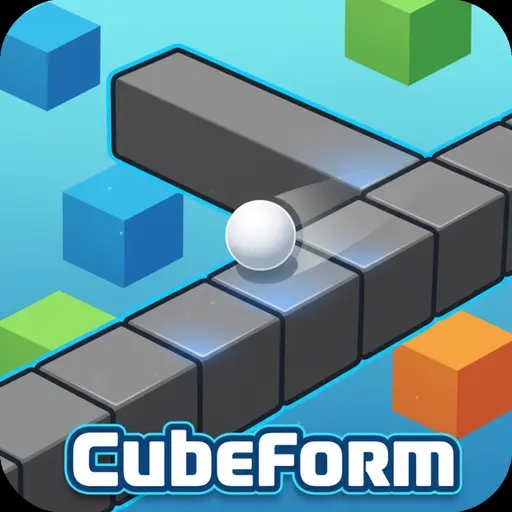
Cubeform is an engaging 3D arcade platformer where players guide a cube through abstract, suspended pathways. It was first released in 2020 and quickly gained popularity among browser game enthusiasts for its clean aesthetic and smooth physics.
The game was created by Ferociter, an indie developer known for creating polished HTML5 experiences. Whether you're playing on a desktop, tablet, or mobile phone, Cubeform is designed to offer a seamless experience with responsive controls and minimalist design philosophy.
Thanks to its challenging level design and instant respawn mechanics, Cubeform continues to be a favorite choice for kids and players of all ages who love skill-based platformers and endless runner-style games!
Cubeform Gameplay
Cubeform is deceptively simple but gets challenging very quickly! You start on a flat platform with a simple objective: keep moving forward. Your main goal is to reach the end of the track without falling off the edge or hitting dangerous obstacles. You need sharp reflexes and good spatial awareness to succeed.
As you progress, the game introduces moving platforms, shrinking pathways, and sudden jumps that require perfect timing. The difficulty ramps up with every stage, forcing you to memorize the layout and react faster. Unlike standard running games, the physics here play a huge role—momentum matters!
The gameplay mechanics focus heavily on momentum and precision. You won't find complex collectibles or upgrade trees here; instead, the progression system is purely skill-based. The satisfaction comes from finally beating a level that caused you to restart a dozen times. Improvements in your own reaction time directly affect your gameplay success.
In advanced levels, you will encounter varying environments where the speed increases and the margin for error becomes tiny. Success depends entirely on your ability to predict the path ahead and execute jumps at the exact right moment.
Platform
You can play this game directly in your web browser, whether you're using a desktop, laptop, tablet, or mobile device.
How to Play Cubeform?
In Cubeform, your main goal is to guide your cube safely from the starting point to the finish portal at the end of the track. You must avoid falling into the abyss and steer clear of red obstacles that destroy your cube on impact. You must keep your momentum up while making precise turns and jumps.
The game features a linear progression system where you must complete one level to unlock the next. The difficulty increases with tighter turns and faster speeds. If you fall or crash, you will restart instantly from the beginning of the level or the last checkpoint, making it easy to try again immediately.
There is no high score in terms of points, but the real victory is completing all the levels. The motivation to continue playing comes from the desire to master the increasingly difficult geometric layouts.
Controls
Cubeform uses simple and intuitive controls. Here's how you control your cube:
- On Computer:
- WASD or Arrow Keys: Steer and move the cube.
- Spacebar: Jump (if the level allows jumping mechanics).
- On Mobile:
- Touch and Drag: Slide your finger on the screen to steer the cube.
- Tap: Jump or interact with the menu.
The controls are highly responsive, making it easy to learn but requiring focus to master the drift and movement physics.
Tips and Tricks for Cubeform
Want to beat every level in Cubeform? These simple and helpful tips will improve your platforming skills and help you unlock cool rewards:
- Watch Your Speed: Don't always rush; sometimes slowing down slightly helps you navigate tight corners.
- Look Ahead: Keep your eyes on the upcoming obstacles, not just where your cube is right now.
- Memorize the Map: You will likely fail a few times; use those failures to memorize where the traps are.
- Center Your Cube: Try to stay in the middle of the platform to give yourself room to correct errors.
- Master the Jump: If jumping is enabled, time it at the very edge of the platform for maximum distance.
- Avoid Red Blocks: Red usually means danger. Avoid touching anything red at all costs!
- Use Gentle Taps: On mobile, use small movements rather than wide swipes to maintain better control.
- Stay Calm: Frustration leads to mistakes. Take a deep breath if you keep falling on the same spot.
Follow these tips and you'll be a Cubeform master in no time!
---Features of Cubeform
Cubeform is a vibrant arcade game designed for players of all ages. Below are the top features that make this game so enjoyable and addictive:
- 3D Graphics: Enjoy a clean, minimalist 3D world with smooth visual effects.
- Simple Controls: Easy-to-learn inputs make it accessible for beginners and pros alike.
- Challenging Levels: Dozens of levels that get harder as you progress, offering hours of gameplay.
- Instant Respawn: No long loading screens—get right back into the action immediately after crashing.
- Smooth Physics: Realistic movement and momentum make controlling the cube feel satisfying.
- Cross-Platform: Works perfectly on computers, tablets, and smartphones without lag.
- No Download Required: Play instantly in your browser without installing large files.
- Kid-Friendly: A safe environment with no violence, making it perfect for school-aged players.
These features make Cubeform a perfect game for anyone who loves fast-paced logic and skill games!
Game Details
| Developer | Ferociter |
|---|---|
| Release Date | May 2020 |
| Genre | Arcade / Platformer |
| Platform | Web Browser (Desktop, Mobile, Tablet) |
| Mode | Single-player |
Cubeform Online
Cubeform online is the special version of the popular 3D platformer that you can play right here on our website. This version has been carefully designed so that you can enjoy the game directly in your browser—without downloading or installing anything!
You can start playing Cubeform instantly with just one click. It works smoothly on all major web browsers, including Google Chrome, Mozilla Firefox, Microsoft Edge, Safari, and Opera. Whether you're using a computer, tablet, or mobile phone, the game is fully optimized for your device.
This is a modified edition of the original Cubeform, made for the best online experience. It keeps all the fun gameplay while running fast and safely on every browser.
Cubeform for Free
You can enjoy playing Cubeform for free right here on our website. This is a special modified version of the original game that allows you to play online without paying anything. No download is needed, and there are no hidden fees or in-game purchases.
Everything in the game—from the challenging levels to the core mechanics—is completely free. Kids and players of all ages can have fun without spending a single coin!
Also, all the games on our site are 100% free to play. We believe in fun gaming without limits or costs. Just choose a game and start playing instantly!
Can You Play Cubeform Unblocked?
Yes! You can play Cubeform unblocked anytime on our website Super bear Adventure. Whether you're at school, in class, at work, or on a break, the game runs smoothly without any restrictions.
There's no need to download anything or bypass any blocks. Just visit our site and start sliding and jumping right away. It's safe, fast, and works perfectly on any device!
- Unblocked Games 76: A popular site that offers a large variety of unblocked games, including Cubeform’s clean and engaging gameplay.
- Unblocked Games G+: Another great destination for games that are often blocked on school networks. Cubeform is featured for quick, logic‑based fun.
- Unblocked Games 6x: Offers safe, kid‑friendly titles. Cubeform fits perfectly with its puzzle and logic focus.
- Unblocked Games 66: Known for its extensive collection of accessible games. Cubeform is available for unblocked play, letting you test your skills wherever you are.
- Unblocked Games 67: Provides no-download, in‑browser games. Cubeform appears in the puzzle section.
- Unblocked Games 77: A robust selection of unblocked games, letting you enjoy Cubeform’s engaging platform for quick challenges.
Cubeform GitHub
Many players search for Cubeform GitHub versions to bypass blocks that prevent them from playing the game at school or work. While GitHub might offer some alternatives, it's often complicated and not always reliable.
But with our website Super bear Adventure , you don't need to search for GitHub versions anymore. Our version of Cubeform runs smoothly on all devices and networks. Whether you're in the classroom, office, or on a break — enjoy the full game online with no restrictions, no downloads, and completely for free!
Cubeform Download
Many fans of Cubeform love to download the game to their own devices for a better playing experience than just playing on the browser. Here's how you can do it:
- If your device runs on Android, just go to the Google Play Store and tap the install button to download the game.
- If you use Apple devices like iPhone or iPad, head to the Apple App Store and press the install button to get the game.
APK Cubeform
If you use an Android device but can't find the game in the Google Play Store, don't worry! You can search for the Cubeform APK file online and download it directly to your device. This way, you can install the game without using Google Play.
Also, if you love playing on your computer, you can download Cubeform for free from the Steam store. This lets you enjoy the game with better controls and graphics.
Cubeform Extension
Many fans of Cubeform prefer to play the game directly on their browser using a Google Chrome extension. This lets them start playing instantly without having to visit the website every time. Plus, some extensions allow you to play offline whenever you want. To download the Cubeform extension, click here.
Similar Games to Cubeform
Find More Games by Category
Frequently Asked Questions (FAQ) About Cubeform
What is Cubeform?
Cubeform is a 3D platformer game where you need to guide a cube through obstacle-filled levels to reach the finish line.How do I play Cubeform?
Use the keyboard arrows (or WASD) on a computer or swipe on your mobile screen to steer the cube and avoid falling.Is the game free?
Yes, Cubeform is free and accessible directly in the browser.On which platforms can I play?
The game is available on PC, Mac, tablets, and smartphones via any web browser.Do I need an account to play?
No, you can start immediately without an account.Is the game suitable for children?
Yes, Cubeform is designed for all ages and features age‑friendly graphics with no violence.Are there difficulty levels?
Yes, the game gets harder as you progress through levels, introducing faster speeds and more complex traps.How do I progress to the next level?
You need to reach the end portal of the current stage without crashing to move to the next level.Can I replay a level?
Yes, you can replay all levels at any time to try and beat your previous time.Is the game multiplayer?
No, Cubeform is a solo game. There is no multiplayer mode included.Are there any tips for success?
Anticipate turns early and keep your cube centered on the track to avoid falling off the edges.How can I improve my skills in the game?
Practice regularly, learn the patterns of each level, and use the restart feature to memorize tricky jumps.What do I do if the game is lagging or crashing?
Try clearing your browser cache, updating your browser, or playing on a different device with a stable internet connection.Can I play without an internet connection?
No, this game requires an internet connection to be played directly in the browser.How do I earn rewards or bonuses?
Currently, the reward is unlocking new levels, though some versions may offer cosmetic skins for your cube.What happens when I lose all my lives?
There are no lives in Cubeform; you have infinite attempts and will restart instantly at the last checkpoint.How often does the game get updated?
The game receives occasional updates. Check the developer's page for details on upcoming levels.Can I customize my character?
While the game is minimalist, some versions allow you to change the color of your cube.How do I unlock new levels or stages?
New levels unlock automatically after completing the previous level successfully.Is there any way to save my progress?
Yes, your progress is automatically saved through your browser’s local storage.
Why is Cubeform so hard?
The game requires precise timing and quick reflexes, but the difficulty is part of the fun and satisfaction of winning.
Can I play Cubeform with a controller?
Most browser versions are designed for keyboard or touch, but some computers may support controllers if mapped correctly.
Is there a timer in the game?
Some levels may have hidden timers for rating your performance, but generally, you just need to survive to the end.
Does the game have sound?
Yes, Cubeform features an energetic electronic soundtrack that matches the fast-paced gameplay.
What engine was Cubeform made with?
Cubeform was likely built using Unity or a similar HTML5-compatible game engine for smooth 3D performance.
Can I make my own levels?
Currently, there is no level editor available for players, but the existing levels offer plenty of variety.
How many levels are there?
The number of levels depends on the version, but there are typically over 20 unique stages to conquer.
Is Cubeform similar to Geometry Dash?
Yes, both games are rhythm-based platformers that require memorization and quick reactions, though Cubeform is 3D.
Does falling off the map reset the whole game?
No, you only restart the current level, so you never lose your overall progress.
Is Cubeform blocked at schools?
It can be blocked on some networks, but our unblocked version ensures you can play it anywhere.
Does the cube speed up?
Yes, in later levels, the movement speed increases, requiring faster reaction times.
Are there power-ups?
Most levels rely purely on skill, but you may encounter jump pads or speed boosters on the track.
Can I play in full screen?
Yes, most browser versions have a full-screen button to help you focus on the track.
Is the game mobile friendly?
Absolutely, Cubeform is optimized for touchscreens and plays great on phones and tablets.
Who holds the world record?
Records vary by website, but dedicated players post speedruns on YouTube showing incredibly fast completion times.
Conclusion
Cubeform is an excellent choice for anyone who loves testing their reflexes and solving high-speed physical puzzles. It helps develop hand-eye coordination and patience while providing hours of frustration-free fun thanks to its quick restart mechanics. With its simple visual style and easy-to-learn controls, it’s accessible to everyone.
Whether you are on an iPhone, Android tablet, or school laptop, you can jump into the action immediately for free. It’s a fantastic way for kids and teens to challenge themselves without spending any money on expensive consoles or game downloads.
So, what are you waiting for? Click play now, challenge your friends to beat your progress, and see if you have the skills to master every level of Cubeform!