Nonogram
Game information
- Published
- Last updated
- Technology
- Iframe
- Categories
- Puzzle Games
Related games





Game info
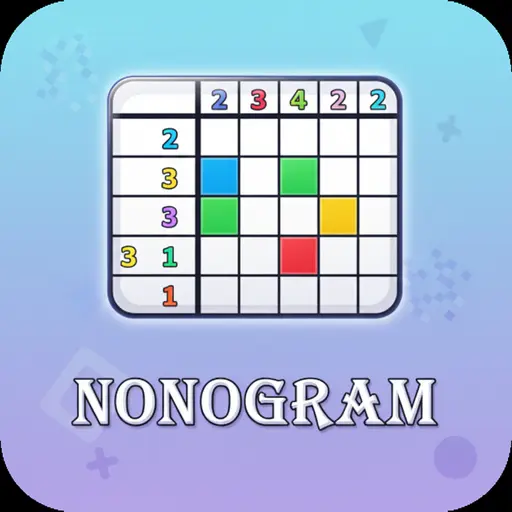
Play Nonogram online for free, the ultimate puzzle game where logic meets art! Imagine a coloring book where you use numbers to discover hidden pixel pictures. This addictive brain-teaser is perfect for kids who love mysteries and solving problems. It is easy to learn, super satisfying, and works perfectly on your phone, tablet, or computer.
In this game, you become a master of logic. By following the number clues on the side of the grid, you fill in squares to reveal cool images like animals, objects, and famous characters. Whether you are playing on a phone during a car ride or on a laptop at home, Nonogram is packed with hundreds of levels, daily challenges, and a relaxing soundtrack to keep you focused.
Are you ready to test your brain power and reveal the secret images hidden in the grid?
About Nonogram
Nonogram is a classic logic puzzle game, also known as Picross, Hanjie, or Griddlers. The concept was first invented in 1987 by Non Ishida and Tetsuya Nishio in Japan, and it quickly became a worldwide phenomenon due to its simple yet deep gameplay.
The digital version of the game was created by talented Puzzle Game Developers, who specialize in brain-training exercises. Whether you're playing on a desktop, tablet, or mobile phone, Nonogram is designed to improve logical thinking and concentration while providing a relaxing experience.
Thanks to its satisfying mechanic of revealing pixel art, Nonogram continues to be a favorite choice for kids and players of all ages who love puzzles, math games, and artistic challenges!
Nonogram Gameplay
Nonogram is deceptively simple to start but gets challenging as the grids get bigger! You begin with a blank grid and numbers along the top and left sides. Your main goal is to fill in the correct squares based on these numbers to create a picture. You need patience, basic counting skills, and logical deduction to succeed.
The game features a smooth progression system. You start with small 5x5 grids that are easy to solve. As you improve, you unlock larger 10x10 and 15x15 grids that require more thought. This version includes a "Hint" feature if you get stuck and a "Life" system that allows for a few mistakes before you have to restart the level. Unlike action games, this is unique because it rewards thinking over speed.
The core mechanic involves looking at a row or column's number—for example, a "5" means there are five filled squares in a row. You must cross-reference rows and columns to determine exactly where those squares go. Collecting stars by completing levels without errors allows you to unlock special themed packs, like "Animals" or "Space."
For advanced players, bigger grids introduce complex patterns where you must use the "X" tool to mark empty spaces carefully. Success depends entirely on your ability to use logic rather than guessing. The feeling of seeing the final picture pop up is a huge reward for your mental effort.
Platform
You can play this game directly in your web browser, whether you're using a desktop, laptop, tablet, or mobile device.
How to Play Nonogram?
In Nonogram, your main goal is to reveal a hidden picture by coloring the correct cells in a grid. The numbers beside each row and column tell you how many unbroken lines of filled squares there are. For example, a clue of "3 2" means there is a block of three filled squares, followed by at least one empty space, and then a block of two filled squares. You must use these clues to fill the grid without making too many mistakes.
As you solve puzzles, the levels become more complex with larger grids and harder number combinations. Completing levels earns you coins or stars, which can be used to unlock hints. If you tap the wrong square, you lose a "heart" or life; if you lose all your hearts, you must restart the puzzle to try again.
The game ends when you successfully fill all the correct squares, revealing the pixel art image. Your score is often based on how fast you solved it and how many mistakes you avoided, giving you plenty of motivation to keep playing and improving your logic skills.
Controls
Nonogram uses intuitive controls that mimic pen-and-paper puzzles. Here's how you control the grid:
- On Computer:
- Left Mouse Click: Fill in a square (Black).
- Right Mouse Click: Mark a square as empty (X).
- Click and Drag: Fill or mark multiple squares in a line quickly.
- On Mobile:
- Tap: Fill in a square.
- Tap 'X' Mode button: Switch to marking empty squares.
- Long Press/Drag: Fill multiple squares at once.
The controls are very responsive, making it easy to swap between filling blocks and marking empty spots with just a click or a tap.
Tips and Tricks for Nonogram
Want to solve puzzles faster in Nonogram? These simple and helpful tips will improve your logic skills and help you unlock cool rewards:
- Start Big: Look for the largest numbers first. If you have a 10x10 grid and a row has the number "10," you can fill the whole row instantly!
- Mark the Xs: Always mark squares with an "X" when you know they must be empty. This helps narrow down where the filled squares can go.
- Use Overlaps: If a row has a "6" in a grid of 10, count 6 from the left and 6 from the right. The squares where they overlap are definitely filled.
- Complete the Edges: Solving rows and columns along the edges is often easier and helps you work your way into the center.
- Don't Guess: Never guess a square! Nonograms are logic puzzles; every move should be certain based on the clues.
- Watch for "0": If a row or column has a "0," mark the entire line with Xs immediately.
- Mind the Gaps: Remember that if there are two numbers (like "2 2"), there must be at least one empty square between them.
- Use Hints Wisely: Save your hints for when you are completely stuck on a very hard level.
Follow these tips and you'll be revealing complex pixel art masterpieces in no time!
Features of Nonogram
Nonogram is a fantastic brain-teaser designed for players of all ages. Below are the top features that make this game so enjoyable and addictive:
- Hundreds of Levels: Enjoy endless hours of gameplay with puzzles ranging from simple pictures to complex masterpieces.
- Brain Training: Keeps your mind sharp by using logic, math, and deduction skills to solve problems.
- Auto-Save: Never lose your progress; the game saves your puzzle state automatically so you can resume later.
- Daily Challenges: unique puzzles added every day to keep the game fresh and exciting.
- Relaxing Atmosphere: Calming music and sound effects make it a perfect game for chilling out after school.
- Zoom Function: Easily zoom in on larger grids to ensure you tap the correct square on mobile screens.
- Hint System: Stuck on a tricky row? Use a hint to reveal a line and get back on track.
- No WiFi Needed: Once loaded, you can play through levels without needing a constant super-fast internet connection.
These features make Nonogram a perfect game for anyone who loves mental challenges and uncovering cool art!
Game Details
| Developer | Puzzle Game Studios |
|---|---|
| Release Date | 1987 (Original Concept) / 2020 (Web Version) |
| Genre | Logic Puzzle |
| Platform | Web Browser, Android, iOS |
| Mode | Single Player |
Nonogram Online
Nonogram online is the special version of the popular logic puzzle that you can play right here on our website. This version has been carefully designed so that you can enjoy the game directly in your browser—without downloading or installing anything!
You can start playing Nonogram instantly with just one click. It works smoothly on all major web browsers, including Google Chrome, Mozilla Firefox, Microsoft Edge, Safari, and Opera. Whether you're using a computer, tablet, or mobile phone, the game is fully optimized for your device.
This is a modified edition of the original Nonogram, made for the best online experience. It keeps all the fun gameplay while running fast and safely on every browser.
Nonogram for Free
You can enjoy playing Nonogram for free right here on our website. This is a special modified version of the original game that allows you to play online without paying anything. No download is needed, and there are no hidden fees or in-game purchases.
Everything in the game—from the daily challenges to the hint system—is completely free. Kids and players of all ages can have fun without spending a single coin!
Also, all the games on our site are 100% free to play. We believe in fun gaming without limits or costs. Just choose a game and start playing instantly!
Can You Play Nonogram Unblocked?
Yes! You can play Nonogram unblocked anytime on our website Super bear Adventure. Whether you're at school, in class, at work, or on a break, the game runs smoothly without any restrictions.
There's no need to download anything or bypass any blocks. Just visit our site and start solving puzzles right away. It's safe, fast, and works perfectly on any device!
- Unblocked Games 76: A popular site that offers a large variety of unblocked games, including Nonogram’s clean and engaging gameplay.
- Unblocked Games G+: Another great destination for games that are often blocked on school networks. Nonogram is featured for quick, logic‑based fun.
- Unblocked Games 6x: Offers safe, kid‑friendly titles. Nonogram fits perfectly with its puzzle and logic focus.
- Unblocked Games 66: Known for its extensive collection of accessible games. Nonogram is available for unblocked play, letting you test your skills wherever you are.
- Unblocked Games 67: Provides no-download, in‑browser games. Nonogram appears in the puzzle section.
- Unblocked Games 77: A robust selection of unblocked games, letting you enjoy Nonogram’s engaging platform for quick challenges.
Nonogram GitHub
Many players search for Nonogram GitHub versions to bypass blocks that prevent them from playing the game at school or work. While GitHub might offer some alternatives, it's often complicated and not always reliable.
But with our website Super bear Adventure , you don't need to search for GitHub versions anymore. Our version of Nonogram runs smoothly on all devices and networks. Whether you're in the classroom, office, or on a break — enjoy the full game online with no restrictions, no downloads, and completely for free!
Nonogram Download
Many fans of Nonogram love to download the game to their own devices for a better playing experience than just playing on the browser. Here's how you can do it:
- If your device runs on Android, just go to the Google Play Store and tap the install button to download the game.
- If you use Apple devices like iPhone or iPad, head to the Apple App Store and press the install button to get the game.
APK Nonogram
If you use an Android device but can't find the game in the Google Play Store, don't worry! You can search for the Nonogram APK file online and download it directly to your device. This way, you can install the game without using Google Play.
Also, if you love playing on your computer, you can download Nonogram for free from the Steam store. This lets you enjoy the game with better controls and graphics.
Nonogram Extension
Many fans of Nonogram prefer to play the game directly on their browser using a Google Chrome extension. This lets them start playing instantly without having to visit the website every time. Plus, some extensions allow you to play offline whenever you want. To download the Nonogram extension, click here.
Similar Games to Nonogram
Find More Games by Category
Frequently Asked Questions (FAQ) About Nonogram
What is Nonogram?
Nonogram is a logic puzzle game where you fill in grid cells according to numbers to reveal a hidden picture.How do I play Nonogram?
Use the mouse or touch controls to fill in squares or mark them with an X based on the numerical clues provided for each row and column.Is the game free?
Yes, Nonogram is free and accessible directly in the browser on our website.On which platforms can I play?
The game is available on Desktop, Android, iOS, and tablets via web browsers.Do I need an account to play?
No, you can start solving puzzles immediately without creating an account.Is the game suitable for children?
Yes, Nonogram is designed for all ages and features safe, family-friendly pixel art graphics.Are there difficulty levels?
Yes, the game offers Easy (5x5), Medium (10x10), and Hard (15x15) levels that get tougher as you progress.How do I progress to the next level?
You need to correctly complete the current picture puzzle to unlock the next level in the series.Can I replay a level?
Yes, you can replay all completed levels at any time to improve your time or score.Is the game multiplayer?
No, Nonogram is a solo logic game designed for individual play. There is no multiplayer mode included.Are there any tips for success?
Start with the biggest numbers first, and always use "X" to mark squares you know are empty.How can I improve my skills in the game?
Practice regularly on smaller grids to understand logic patterns, then move to larger grids.What do I do if the game is lagging or crashing?
Try clearing your browser cache, updating your browser, or playing on a different device with a stable internet connection.Can I play without an internet connection?
No, this specific web version requires an internet connection to load, though some app versions work offline.How do I earn rewards or bonuses?
You can earn coins or stars by completing levels without making mistakes.What happens when I lose all my lives?
If you make too many mistakes, you will lose the level and must restart the puzzle from the beginning.How often does the game get updated?
The game receives updates occasionally to add new picture packs and fix bugs.Can I customize the game?
You can often change the background theme or the color of the filled squares in the settings menu.How do I unlock new levels or stages?
New levels unlock automatically after you finish the previous puzzle.Is there any way to save my progress?
Yes, your progress is automatically saved through your browser’s cookies so you can continue where you left off.
What do the numbers mean in Nonogram?
The numbers indicate how many consecutive colored squares are in that specific row or column. For example, a "5" means there are five filled squares in a row.
What is the "X" button for?
The "X" button is used to mark squares that you are certain should remain empty. This helps you visualize the puzzle better and prevents accidental clicks.
Can I play Nonogram on an iPad?
Yes, the game is fully optimized for touchscreens and works perfectly on iPads and other tablet devices.
Is Nonogram a math game?
While it uses numbers, it is technically a logic puzzle. You don't need to do complex math, just counting and logical deduction.
What happens if I guess a square?
Guessing is risky! If you fill the wrong square, you will lose a life or receive a penalty time, so it is better to use logic.
Are there different themes?
Yes, puzzle packs often come in themes like "Food," "Travel," "Sports," and "Halloween."
Does Nonogram help your brain?
Absolutely! It is considered a great brain-training exercise that improves concentration, logical thinking, and patience.
How long does a level take?
Small levels can take 1-2 minutes, while larger, complex grids might take 10-15 minutes to solve.
Can I use a mouse?
Yes, using a mouse on a computer is very precise. Left-click to fill and right-click to mark with an X.
Is there a time limit?
Usually, there is no strict time limit, allowing you to relax and think, though some modes track your time for a high score.
What is the hardest difficulty?
The hardest difficulty typically involves large 20x20 grids or "color" nonograms where you must match specific colors as well as numbers.
Can I turn off the sound?
Yes, there is a settings button in the main menu where you can toggle music and sound effects on or off.
Is this game safe for school?
Yes, Nonogram is a safe, educational, and non-violent game that is appropriate for school environments.
Why is it called Hanjie?
Hanjie is simply another name for the same type of puzzle, often used in magazines and books in the UK.
Do I need to download Flash?
No, this game uses modern HTML5 technology, so it runs without Flash or any other plugins.
Conclusion
Nonogram is an incredible puzzle game that offers the perfect mix of relaxation and brain training. It helps kids develop critical thinking and logic skills while rewarding them with fun pixel art pictures. Because it is so easy to pick up but hard to master, it keeps players engaged for hours.
Whether you are on an iPhone, an Android tablet, or a school Chromebook, you can access this game instantly for free. It’s a safe, cost-free way to have fun without needing expensive consoles or downloads. It is always available whenever you need a quick mental break.
So, why wait? Click play now and see if you can solve every grid! Challenge your friends to see who can finish the puzzles the fastest and become the ultimate Nonogram master!
🎮 More Free Puzzle Games
Browse all Puzzle Games (77) →Looking for more games like Nonogram? Explore top-rated unblocked games in our Puzzle Games collection: